Accessing Stratus Allocator Pro
Use Stratus Allocator Pro to process source files, review allocation results, correct address exceptions, and export results for the next step.
Before processing a file, open Allocator from the Stratus product menu and confirm that you are working in the correct year, state, and company.
Open Allocator from Stratus
Login to Stratus using your username and password.
After logging in, use the product menu in the upper-left corner of the Stratus home page to view the products available to you.
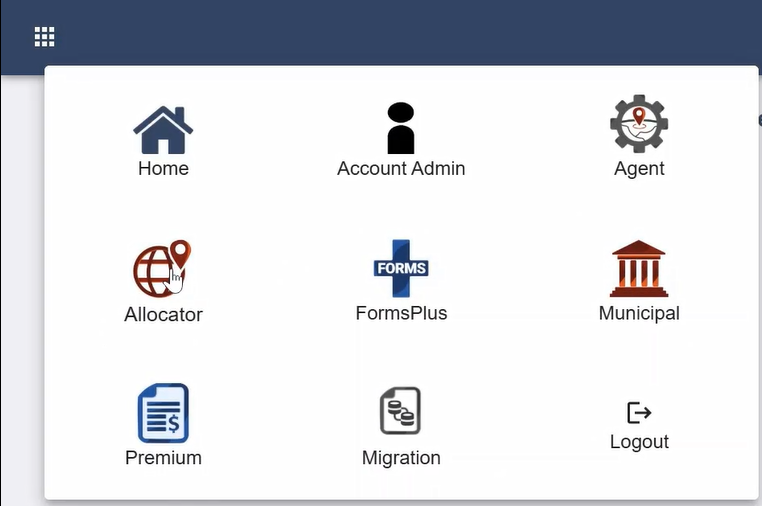
Select Allocator from the product menu.
The Allocator workspace opens.
Confirm the Year, State, and Company
Before uploading a source file, confirm that the correct year, state, and company are selected.
The selected year, state, and company determine which files and jobs appear in the Allocator workspace. They also help make sure the file is processed for the correct filing period and company.
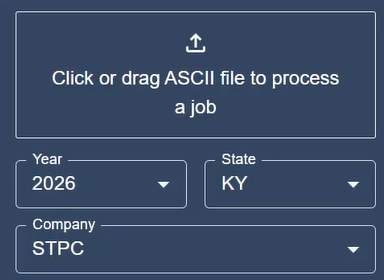
If the wrong year, state, or company is selected, change the selection before uploading the file.
Review the Allocator Workspace
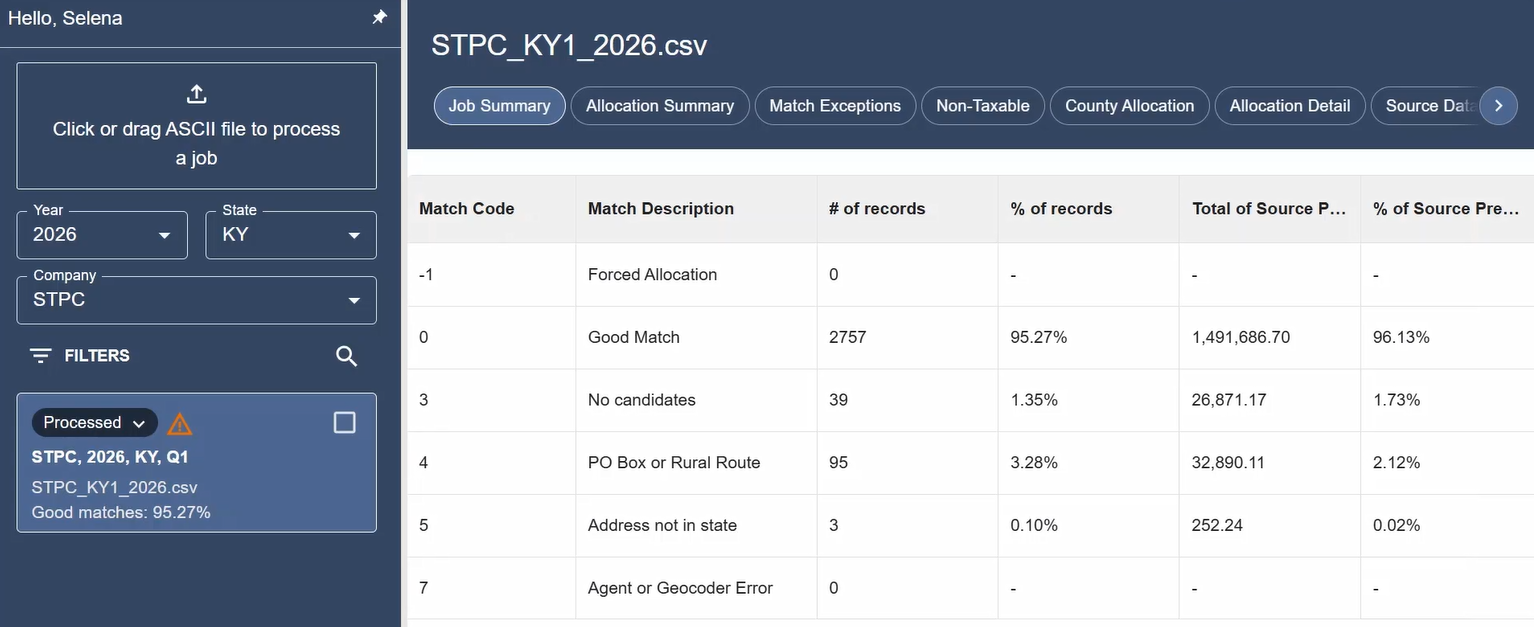
After opening Allocator, you will see the main Allocator workspace.
The workspace includes:
- File upload area
- Jobs list
- Report tabs
- Allocator Options
- Export tools
- Support and help icons
Use the upload area to process a source file. Use the jobs list to monitor file status and open processed jobs. Use the report tabs to review allocation results.
Next Step
- After confirming the correct year, state, and company, review Allocator Options before uploading the source file.
Related Articles
- Getting Started
- Workspace Overview
- Allocator Options
- Prepare an Allocator Source File
- Name an Allocator Source File
- Upload and Process an Allocator File
- How do I process an Allocator file?